After the card, the next step
One button, and it’s booked.
A restaurant lets people book its tables from its card, service, number of guests and time slot included. A salon, a practice or a beauty institute keep the diary they already use, and their customers finally find it in the same place as everything else.
01 / Bookings
A table, a service, a number of people.
The service, the guests, the time slot, the confirmation
Your customer opens your card, taps Book a table, chooses the service, the number of guests and the time. They receive their confirmation without leaving your page, in their language, and you find the booking in your book. They pay nothing and leave no deposit: that is settled at your place, as before.
In your visitor’s language
Your business has to be connected to Orbit, and we do that with you
02 / Bookings
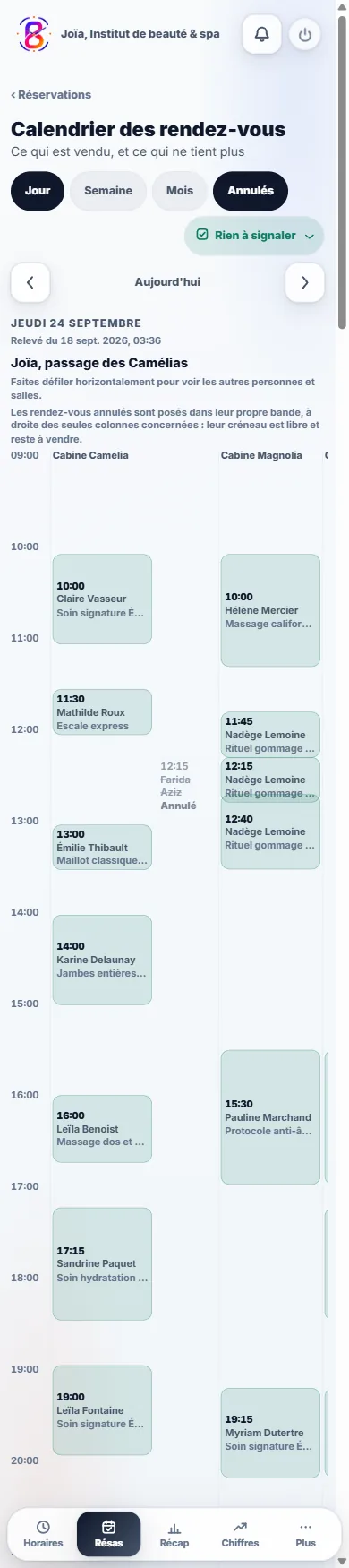
Already taking your appointments elsewhere? Keep it.
Book an appointment, Request a quote, Book a stay: the button carries the word of your profession
A salon on its online diary, a practice on its directory, a tradesperson on their quote form: your button points to the tool your customers already know. Choosing a two-hour service with a specific person directly on your card, we don’t know how to do that yet, and we would rather tell you here than let you find out after your first payment.
The link is yours, you change it whenever you want
It is always in the same place, at the bottom of the screen, on every phone
Before you sign up
Your questions, simply.
How long is it free for?
What it costs
No end date. Not fourteen days, not three months: €0, and no bank card is ever asked of you, not at sign-up and not later. The other side of the deal is visible to the naked eye: the Bizleen brand stays displayed on your card, on its QR code and on the email signature it builds for you. Paying makes it go away, and that is all it changes.
Does my customer have to install an app?
How it works
Nothing to install, for them or for you. They point at the QR code with the camera already in their phone, your card opens on their side, they tap Add to contacts if they want to. The QR code opens your card, it does not save anything on its own: that is their move. iPhone and Android alike, with no account to create.
How long before my card exists?
How it works
The time it takes to type your name and choose your address. You add your photo, your number and your links whenever you want: nothing is blocked until everything is filled in. What takes time is not the card, it is the content that comes afterwards: detailing thirty or so services with their durations and prices takes an evening, sometimes three.
The first step is simple
A business to share.
A card to start with.
Publishing remains an explicit decision, after you confirm your email address.